
Tekla Constructible Training
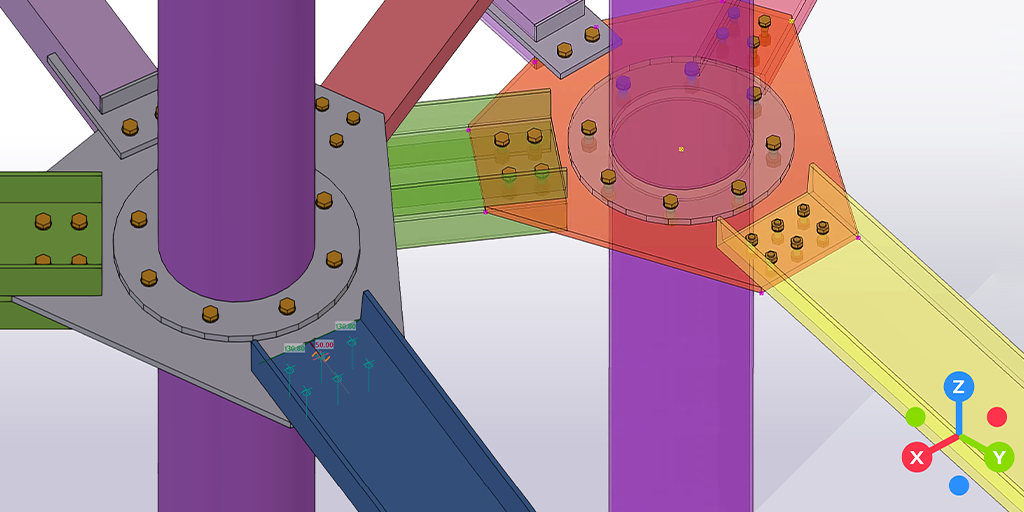
Tekla Structures: Steel Modeling Fundamentals
This extensive course includes everything you need to learn about Tekla Structures as a steel detailer. It consists of an introduction and 27 modules that will teach you and your team how to work efficiently in 3D. The course follows a specific workflow that teaches you how to create a model step-by-step, with all structural elements and details.
Customers can choose between online or in-person class training.
Dates:
Open
Investment
Duration:
2 days
Price:
$1,100.00 per person
3+ PEOPLE ONLY $3,000 PER CLASS
Course details:
A 2 days course where you can learn:
- Columns, beams and connections
- Possible clashes
- Components, welds, and more
Introduction
- About this training
- Why Tekla Structures
- Setting up Tekla Structures
- Trimble Identity
Tekla Structures user interface
- Opening Tekla Structures
- Opening Model
- User interface
- Navigating in the model
- Clip planes
- Hiding parts from view
- Showing only selected parts
- Rendering modes
- Measuring
- Creating screenshots and visualizing the model
- Help and support
Setting up project specific information
- Create and setup the project properties
- Modify existing grid
- Create views
- Snap and selection switches
Model Steel Columns and Beams
- Steel parts in Tekla Structures
- Use property pane to modify part properties
- Create steel framing
- Create floor beams
- Copy and move beams
Model Rafters and Bracings
- Create Rafters
- Create Bracings
- Move objects
- Work planes
About System Components
- Overview about system components
- Components types
- Application and components catalog
- Add components to model
- AutoDefault
Modeling Base Plate
- Add pad footings to the steel structure
- Model base plates
- Modify default properties for components
Modeling Beam to Beam Web Connection
- Model beam to beam web connection
- Measure bolt spacing and edge distance
Modeling Beam to Column Connection
- Model beam to column connection
- Inquire assembly using inquire command in ribbon
- About numbering in Tekla Structures
Modeling two sided connection
- Model two sided end plate using component 142
Modeling Haunch Connection
- Model a haunch connection using component 102
Modeling bracing connections
- Model bracing connections using component 105
- Model flat bar bracing connections using component 11
Detecting Clashes
- Clash checking using the “clash check manager” tool
- Detect clashes of small area in model using the “clash check manager” tool
Introduction
- About this training
- Why Tekla Structures
- Setting up Tekla Structures
- Trimble Identity
Tekla Structures user interface
- Opening Tekla Structures
- Opening Model
- User interface
- Navigating in the model
- Clip planes
- Hiding parts from view
- Showing only selected parts
- Rendering modes
- Measuring
- Creating screenshots and visualizing the model
- Help and support
Setting up project specific information
- Create and setup the project properties
- Modify existing grid
- Create views
- Snap and selection switches
Model Steel Columns and Beams
- Steel parts in Tekla Structures
- Use property pane to modify part properties
- Create steel framing
- Create floor beams
- Copy and move beams
Model Rafters and Bracings
- Create Rafters
- Create Bracings
- Move objects
- Work planes
About System Components
- Overview about system components
- Components types
- Application and components catalog
- Add components to model
- AutoDefault
Modeling Base Plate
- Add pad footings to the steel structure
- Model base plates
- Modify default properties for components
Modeling Beam to Beam Web Connection
- Model beam to beam web connection
- Measure bolt spacing and edge distance
Modeling Beam to Column Connection
- Model beam to column connection
- Inquire assembly using inquire command in ribbon
- About numbering in Tekla Structures
Modeling two sided connection
- Model two sided end plate using component 142
Modeling Haunch Connection
- Model a haunch connection using component 102
Modeling bracing connections
- Model bracing connections using component 105
- Model flat bar bracing connections using component 11
Detecting Clashes
- Clash checking using the “clash check manager” tool
- Detect clashes of small area in model using the “clash check manager” tool